Inhaltsverzeichnis
Input of a die characteristic (REX)
In REX Next Generation, the tool characteristic curve option (accessed via the menu Configuration > Die > create new > Characteristic) allows you to simulate the pressure throughput behaviour of a tool. This function is particularly useful for modelling and predicting the performance of a tool under real conditions.
Definition of the operating point
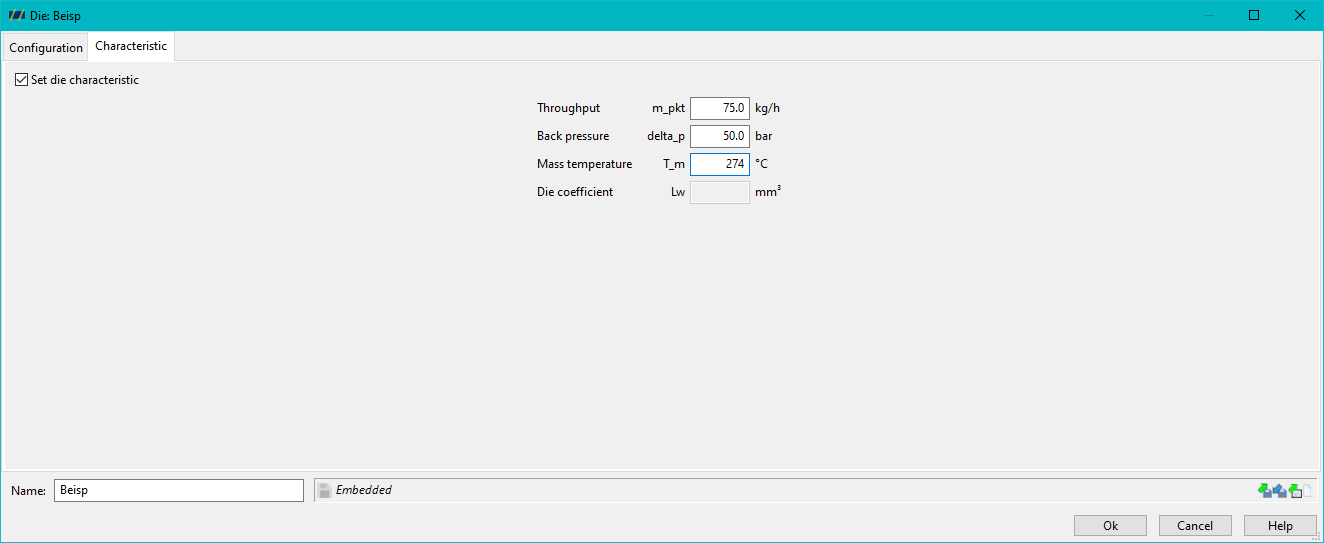
In order to carry out the simulation correctly, the data of a real operating point must be entered into the mould configuration. This operating point forms the basis for the calculations and is characterised by the following parameters:
- Mass throughput: The actual material flow that is conveyed through the die.
- Die back pressure: The pressure that is applied to the tool and influences the material flow.
- Measured melt temperature: The temperature of the material recorded at this operating point.
As an operating point can only ever be run with a specific material, a material must be defined in the process before the simulation to ensure that the simulation is carried out consistently with the real conditions.
Determination of the die coefficient
After entering the operating data mentioned above, the die coefficient of the tool is determined. The die coefficient is a characteristic value for the respective tool and describes the pressure-throughput behaviour as a function of the process conditions.
Calculation of pressure and mass throughput
By combining the process parameters of the screw and the die coefficient of the tool, REX can calculate the pressure at the tip of the screw and the conveyable mass throughput.