Dies ist eine alte Version des Dokuments!
Define barrel data
The content is currently being processed and will be made available shortly. Please be patient.
The barrel can be created or edited via “Configuration > Barrel” or optionally via the toolbar.

In the upper part of the opening window, the barrel length is specified in mm or as a multiple of the nominal diameter. The barrel must always be at least as long as the screw.
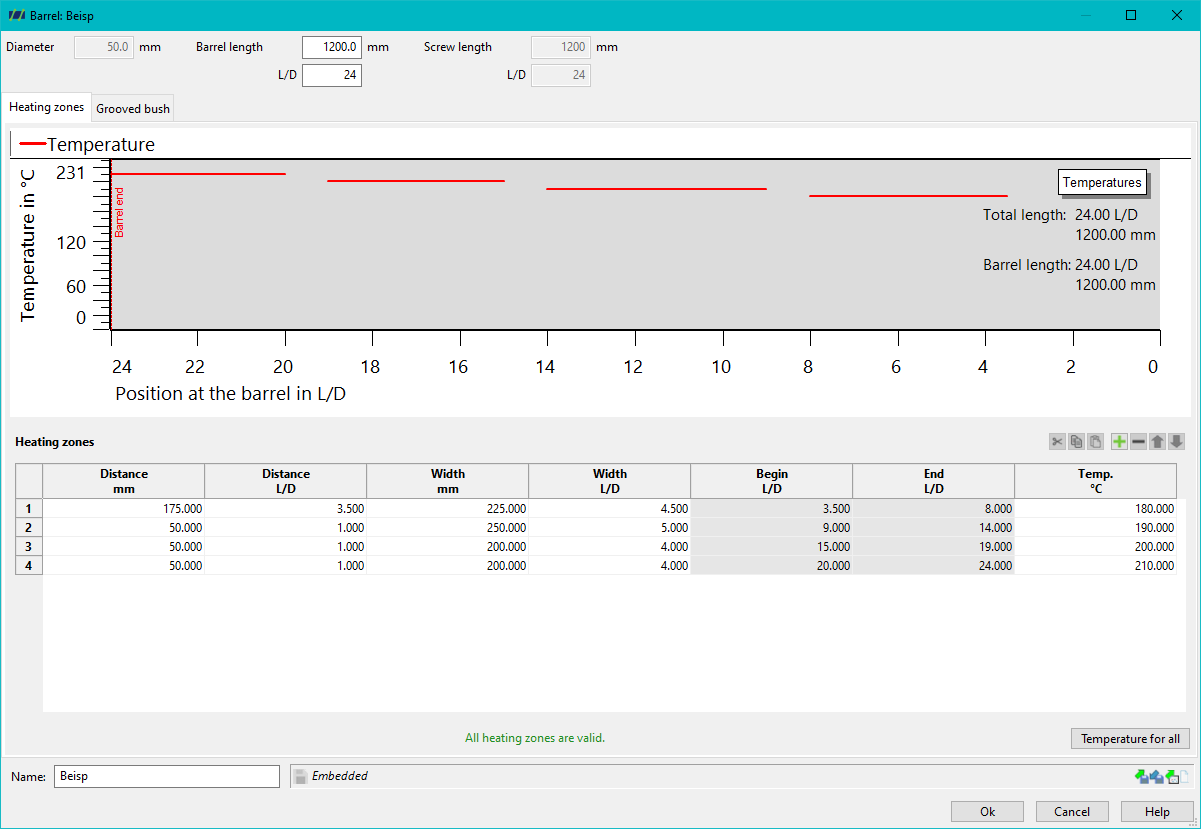
The heating zones are defined at the bottom of the window. Any number of zones can be created. The profile of the barrel temperatures over the barrel length is displayed graphically in the middle of the window. The temperature is interpolated between the zones (distance between zones). It is important here that the entered temperatures correspond to the barrel wall internal temperatures! This means that a corresponding distance between the zones is recommended, as the interpolation of the entered temperatures better reflects the real barrel inner wall temperatures.
Related links: