Dies ist eine alte Version des Dokuments!
Stress analysis
Entering the mechanical properties
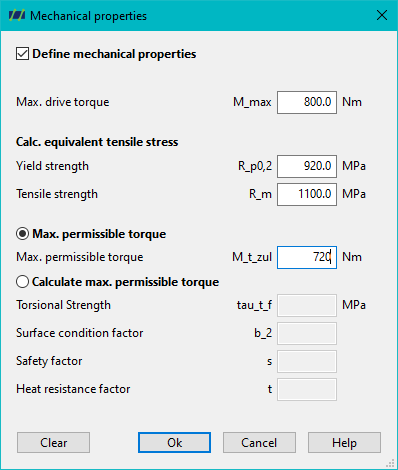
To be able to calculate and analyse the screw strength, the mechanical properties must be entered under ‘Configuration > Screw > Edit’ or the ‘Edit screw’ button.
Visualisation of the screw strength

Interpretation of the curves
- Blue curve: The blue curve represents the equivalent stress of the screw over the screw length.
- Red line: The red line represents the specified yield strength of the screw material.
- Black curve: The black curve represents the torque over the screw length.
- Yellow line: The yellow line represents the specified max. torsional moment of the screw.
- Green line: The green line represents the specified maximum drive torque of the extruder.
Analysis of the screw strength
To guarantee the screw strength:
- The equivalent stress (blue curve) must be less than the yield strength (red line)
- The torque (black curve) must be less than the maximum permissible torsional moment (yellow line)
No safety factors are taken into account here!
It can also be checked that the maximum drive torque of the system is greater than the required torque of the screw. Otherwise, the extruder is too weak to reach the simulated operating point.