Dies ist eine alte Version des Dokuments!
Handling front/rear calculation position (PSI)
A key innovation in PSI Next Generation compared to previous versions is the way in which the calculation of the screw position (front and rear) is performed. This change enhances the flexibility of process simulation, particularly when calculating processes with different screw positions. The following section details the procedure and new functionalities.
Defining the Screw Position in the Calculation Settings
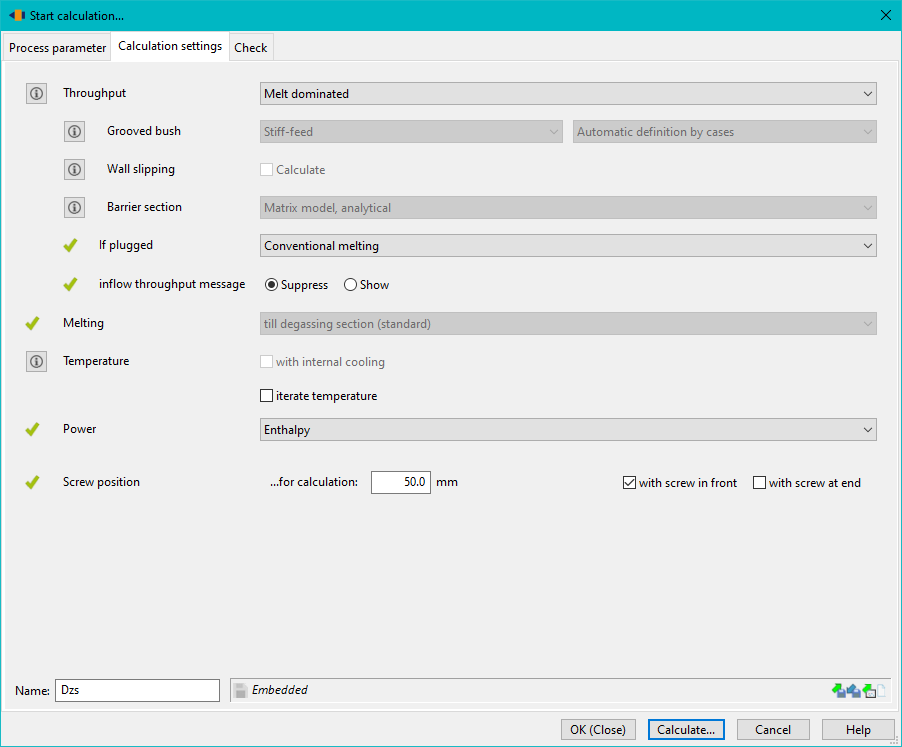
To simulate a process with different screw positions, it is necessary to configure the calculation settings accordingly. In the calculation settings, the screw position must be defined for the simulation. There are two key steps:
- Selecting the screw position: You must specify whether the screw position should be calculated for the screw in the front or rear position.
- Activating the checkbox: It is required to activate a specific checkbox that defines the corresponding screw position for the calculation. This option ensures that the software knows whether the simulation should consider the screw in the front or rear position.
Batch Mode Calculation
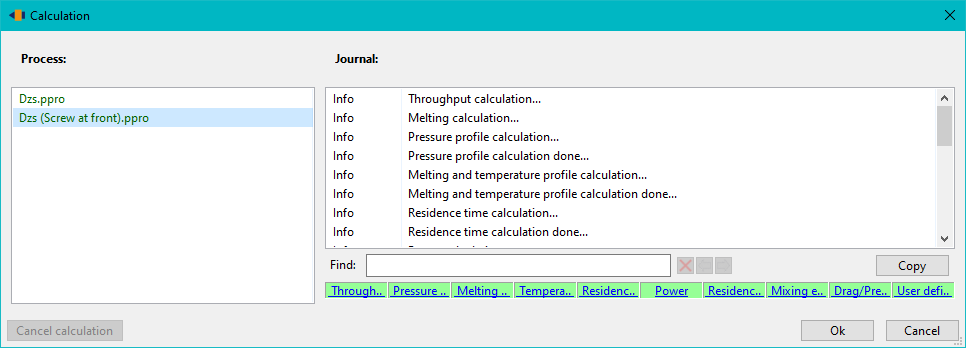
Once the screw position is defined, the process can be started. The software runs the calculations in batch mode, meaning that two processes are calculated consecutively:
- First step: Calculation with the screw in the front position.
- Second step: Calculation with the screw in the rear position.

This two-step calculation process simulates the effects of the different screw positions on the process and generates the corresponding results. This allows the user to conduct a detailed analysis of the process behavior under different screw positions.
Displaying and Comparing Results
Once the calculations for both screw positions are completed, the results are available for analysis. There are several ways to view the results for the different screw positions:
- ** Toolbar button: Use the „Show results for different screw positions“ button in the toolbar to directly access the calculated results. * **Menu option: Alternatively, you can select „Graphics“ → „Compare Screw Positions“ from the menu to visualize the results.
Multi-graphic and Result Comparison
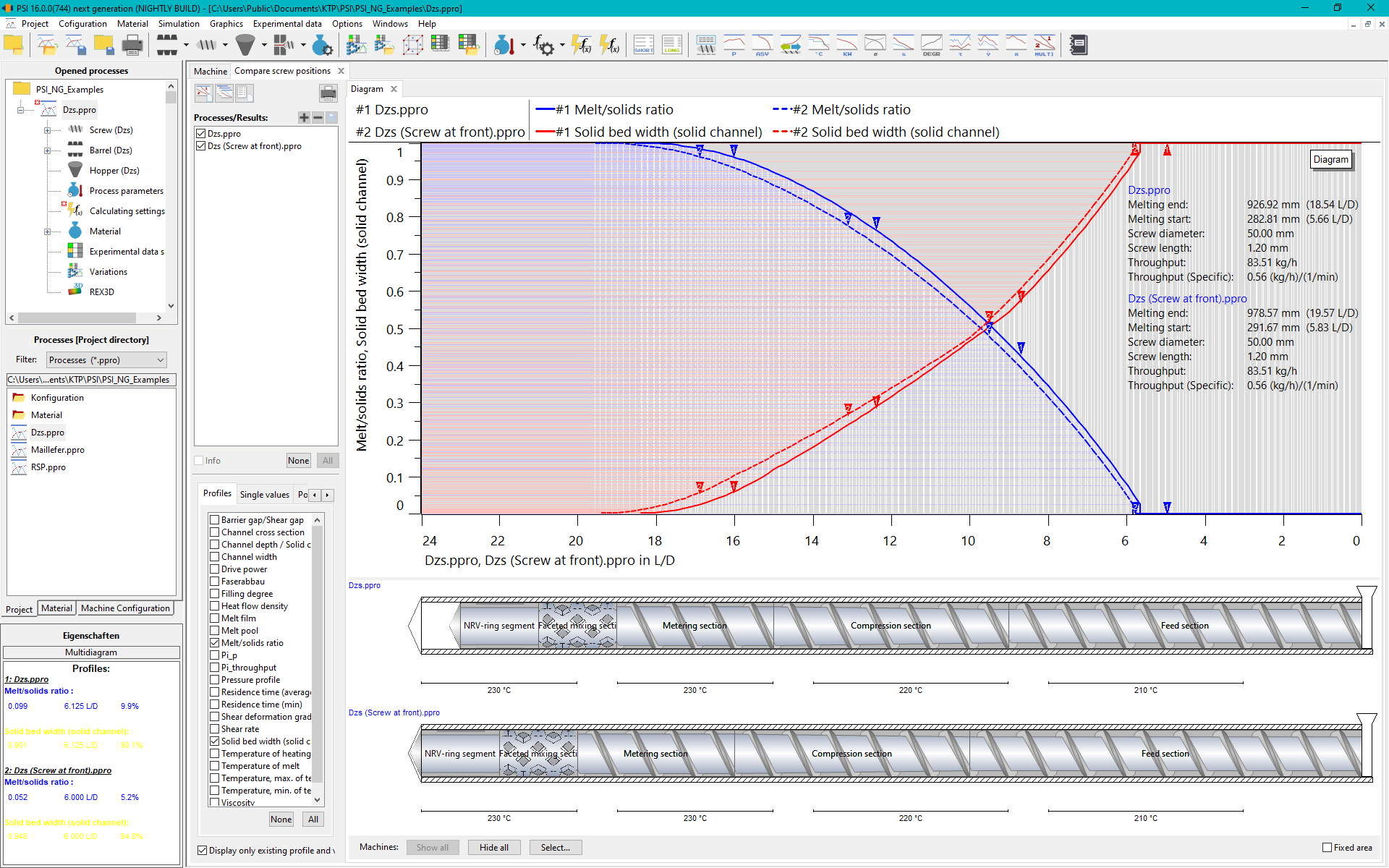
After selecting the results, a multi-graph is opened, which displays both calculations (screw front and screw rear) side by side. This graphical representation provides a direct comparison of the process behavior for the different screw positions. In the multi-graph, you can compare both calculation results to analyze the impact of the different screw positions on the process.
For a comprehensive analysis of the simulation results, you can also use the quick-access button „Open all standard diagrams“. This allows you to open all relevant diagrams simultaneously, providing a quick and efficient comparison of all calculated results.
Summary
The visualization and simulation of screw positions in PSI Next Generation have been fundamentally improved to enable detailed and flexible simulation of processes with different screw positions. By adjusting the calculation settings, utilizing the automated batch mode, and employing the clear multi-graph comparison of results, the analysis of process impacts becomes more efficient and accurate. These innovations ensure that users can conduct an in-depth evaluation of their processes under various conditions, which is particularly beneficial in the field of plastics engineering.