Dies ist eine alte Version des Dokuments!
Installing Updates
Enabling the Auto-Update Function
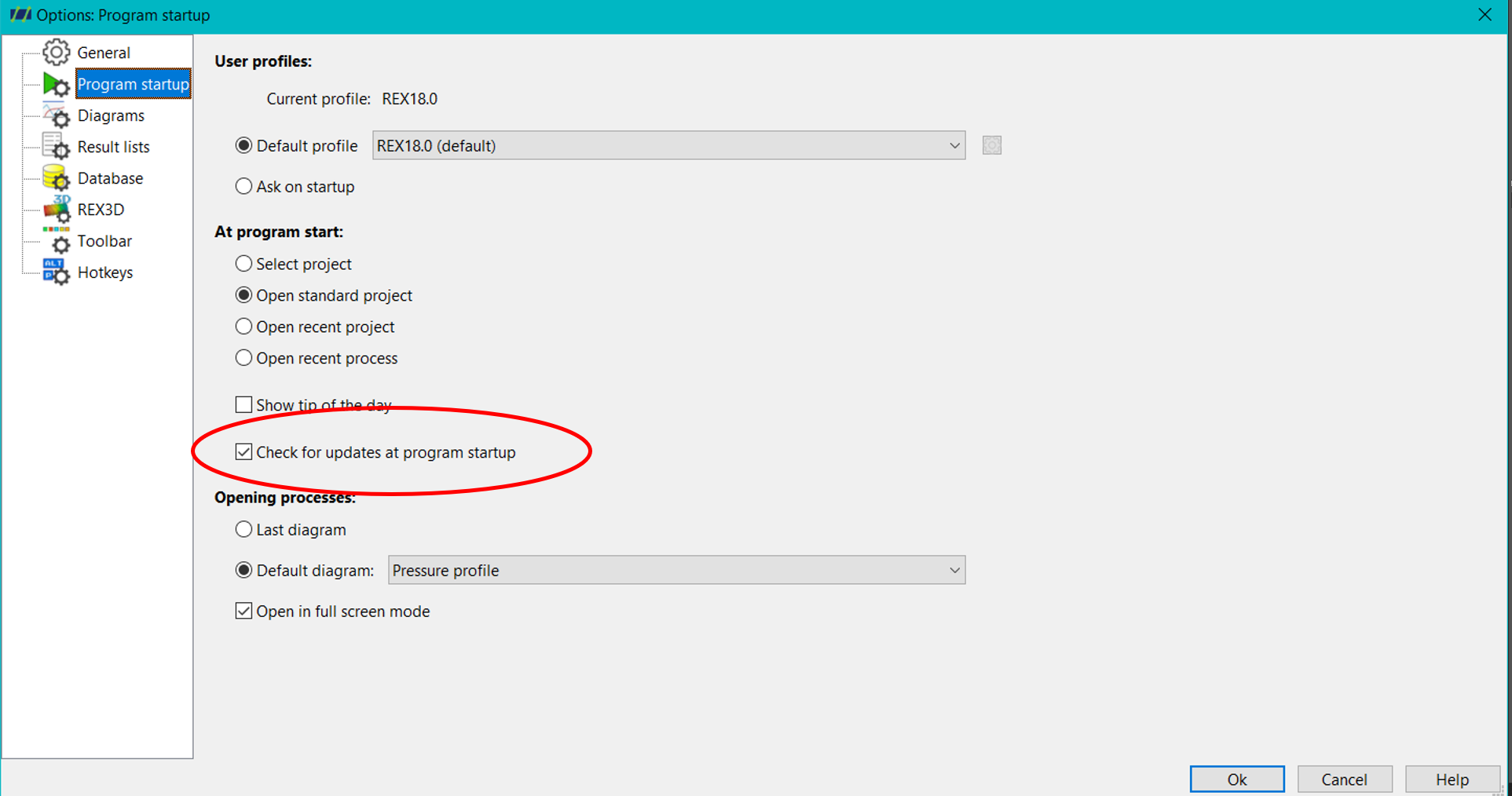
To ensure you are always informed about available software updates, you can activate the „Check for updates online at program start“ option in the program settings under Start/Open. This setting enables the system (REX/PSI) to automatically check the update server at each program start and notify you if a new version is available for installation. Alternatively, you can manually check for updates. This option can be found in the menu under: Help → Check for Updates.
Installing the Update
If a new update is available, it will be downloaded automatically after you select a storage location. Local administrator rights are required to install the update. Please note that you must close the REX / PSI Next Generation and REX / PSI Classic applications before installation, as the installer will overwrite the existing installation files.