Dies ist eine alte Version des Dokuments!
Database connection to PAM
The database connection in REX/PSI Next Generation enables the integration and management of material data. The prerequisite for using this function is an installed version of PAM 3 and the Firebird database system (32-bit version, available at http://www.firebirdsql.org).
The procedure for connecting a PAM database is described below.
Prerequisites for the database connection
To be able to use the database connection, the following requirements must be met:
- PAM 3: A functional installation of the PAM 3 software, which serves as an interface to the database.
- Firebird database (32-bit): The Firebird database system must be installed on the system, as it provides the database environment for the PAM data.
Steps for connecting a PAM database
To connect a database, follow the steps below:
Opening the database options
Go to Options in the main menu and select the menu item Database. This opens the dialogue for the database options, in which you can configure the connection to the PAM database.
Manual entry of access data
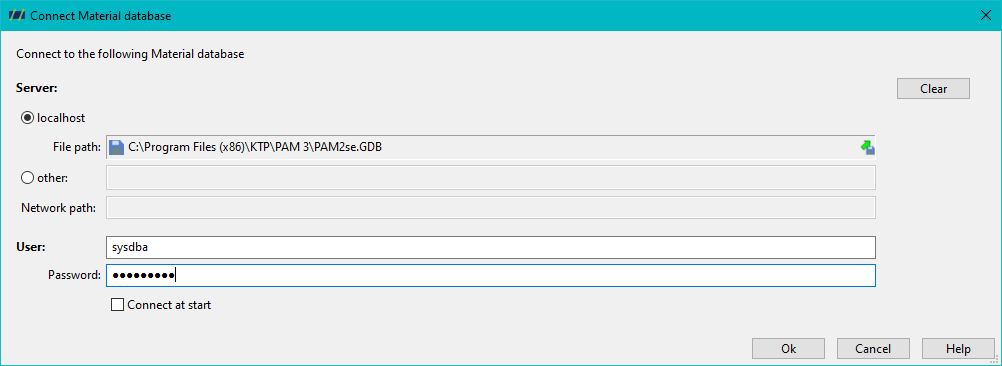
You have the option of entering the database access data manually. This includes the database path, the user name and the corresponding password.
Automated selection of the PAM database
- Alternatively, you can click on the Select PAM database button to select an existing PAM database on your system. The path to the PAM database is automatically entered here.
- Confirm the dialogue after selecting the database to apply the settings.
Creating the connection
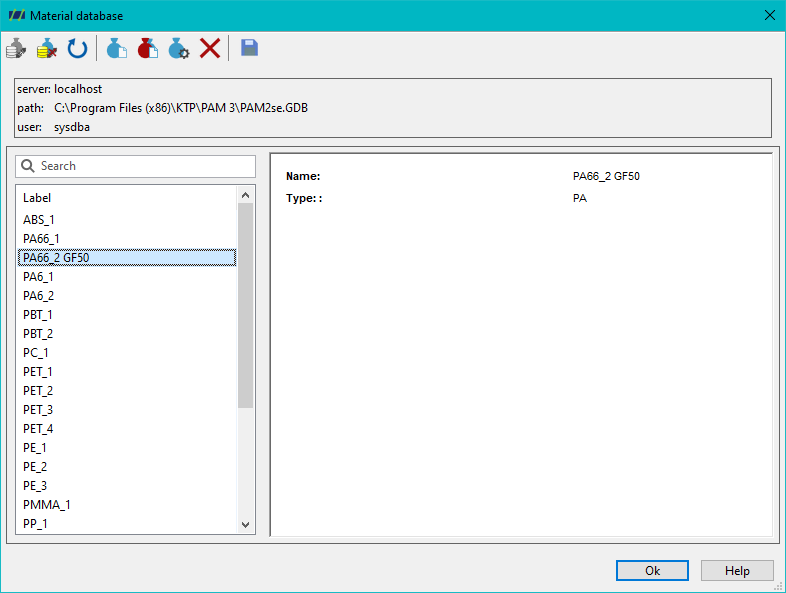
After selecting or entering the access data, click on the Connect button to establish a connection to the PAM database. As soon as the connection has been successfully established, you can access the database content and use it in your simulation processes.
Optional settings for automatic connection
To further optimise the workflow, you can activate the options Connect at programme start and Save password. These settings ensure that a connection to the PAM database is automatically established when the programme is started in the future without you having to enter the access data again.
Note on the default configuration
For a local PAM database, the user name ‘sysdba’ and the password ‘masterkey’ are provided by default. These settings should not be changed unless specific security requirements or configuration specifications require an adjustment.