Define mixture
Step 1: Open material
To create a new mixture, open a process and navigate to the Edit material area in the Material menu.
Step 2: Switch to the mix view
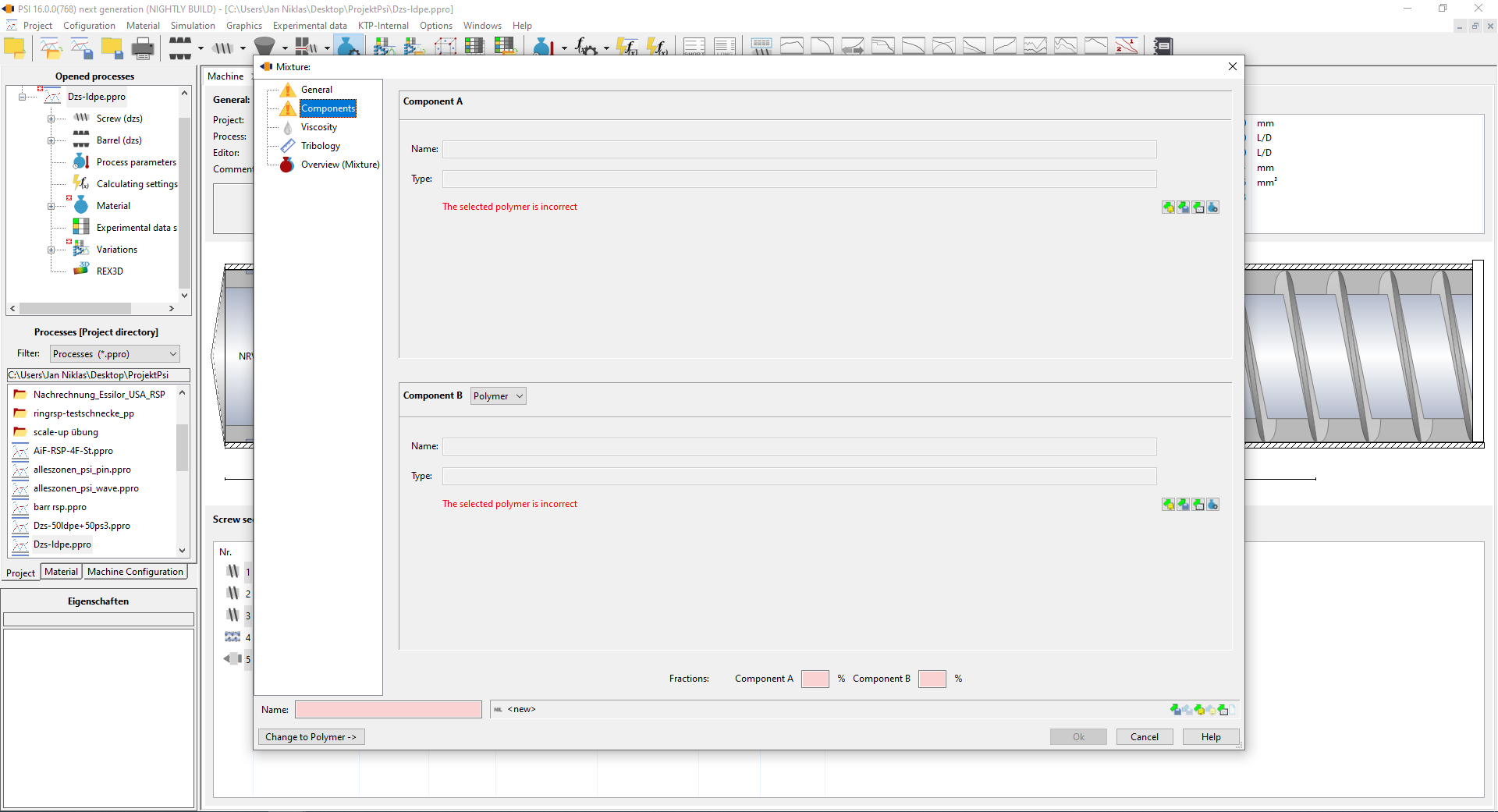
Once you have opened the relevant material, click on the Change to mixture button. This will take you to the special view for creating and managing mixtures. In this view, you can add several components, which are then processed into a new material mix.
Step 3: Component A - Load or create polymer
The first component of the mixture is component A, usually a polymer.
Select an already saved polymer from the material library by clicking on Load polymer from file or database
If the desired polymer is not available, create a new polymer by clicking on edit polymer and entering the relevant technical data. Make sure that the data is entered completely and correctly, as it has an influence on the final result of the mixture.
Step 4: Component B - load or apply polymer or filler
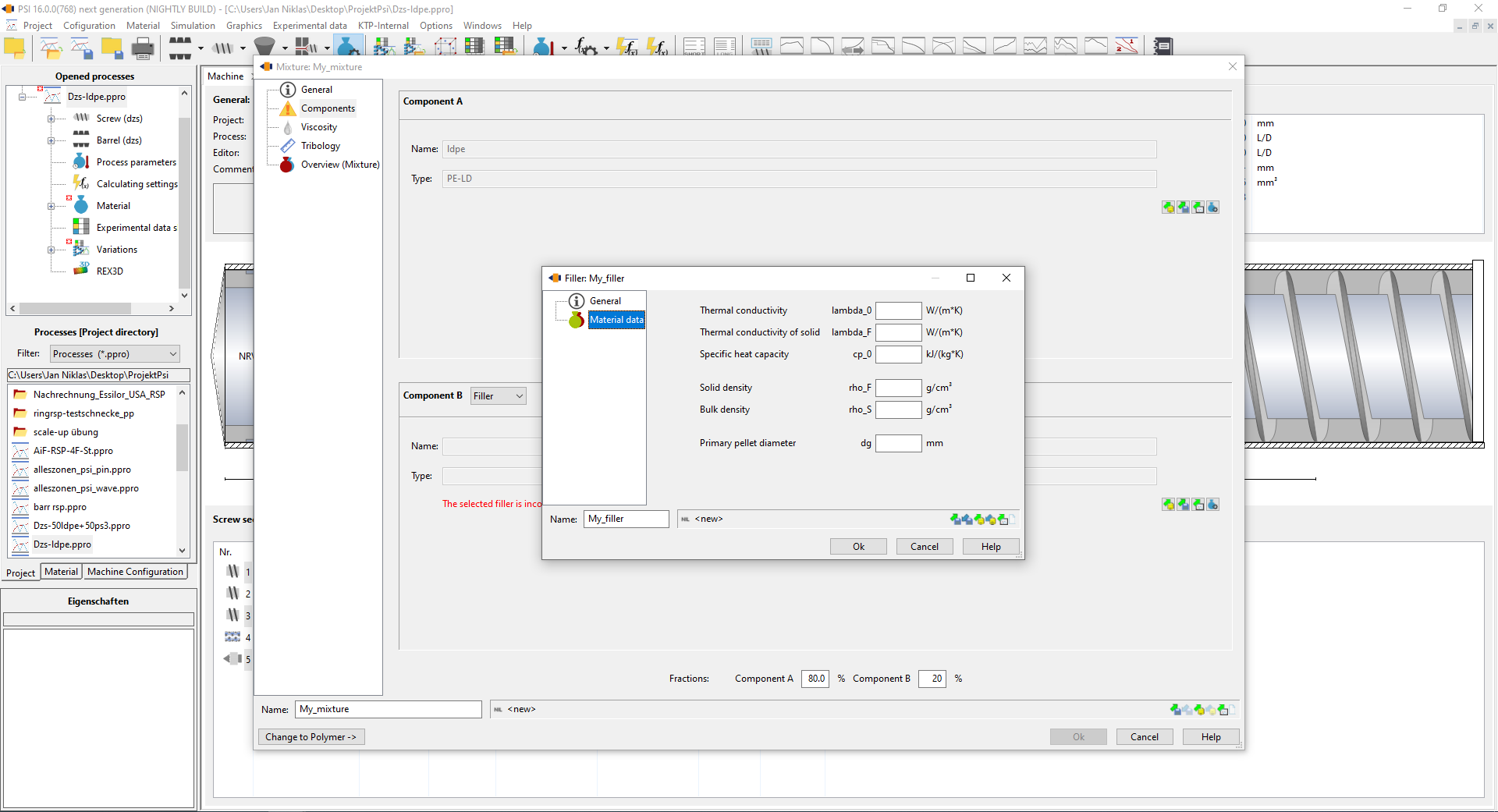
The next component to be added is component B. This can either be another polymer or a filler:
Select the required substance from the list of available polymers or fillers by clicking on Load component. If the required polymer or filler is not available, create it as for component A by entering the required material data. Fillers can have different properties to polymers depending on the application. It is important to enter this data correctly as it significantly influences the mixture characteristics.
Step 5: Determine mixing ratio
Once both components (A and B) have been selected or created, define the mixing ratio. This is usually done by entering the respective percentages or mass proportions of the two components. Enter the desired proportions of the components, e.g. 70 % polymer A and 30 % filler B.
Step 6: Definition of viscosity
The viscosity can be determined in several ways. Either the rheological data of the mixture can be specified directly or mixing rules can be used.
Mixture rules for polymer-polymer mixtures (with component proportions $w_A$ and $w_B$):
- Logarithmic: $$log(\eta_M)=w_A log(\eta_A)+w_B log(\eta_B)$$
- Mantford's rule of mixtures: $$\eta_M^{\frac{1}{3,4}}=w_A \eta_A^{\frac{1}{3,4}}+w_B \eta_B^{\frac{1}{3,4}}$$
- Mixture rule according to Takayanagi (with continuous phase c, dispersed phase d and phase fraction of the dispersed phase of $\Phi_d$): $$\eta_M=\eta_c \cdot \frac{3 \eta_c + 2\eta_d - 3(\eta_c-\eta_d) \Phi_d}{3 \eta_c + 2\eta_d+2(\eta_c-\eta_d) \Phi_d}$$
Mixture rules for polymer-filler mixture (with filler content $\Phi_F$):
- Einstein's mixing rule: $$\eta_M=\eta_p(1+2.5\Phi_F)$$
- Mixture rule according to Hashin: $$\eta_M=\eta_p(1+\frac{2 \Phi_F}{1-\Phi_F})$$
Completion of the mixture creation
Once the mixing ratio has been defined, save the mixture by closing the window via the Ok Button. The newly created mixture can now be used.