Dies ist eine alte Version des Dokuments!
REX3D
To use numerical simulation with Rex3D, it is necessary to define various output paths for the simulation. We refer you to the section „Rex3D Installation Guide“ and ask you to define the software dependencies in advance (see REX3D Installation). Afterward, you need to execute the „Create environment“ button to prepare the system for numerical simulation.
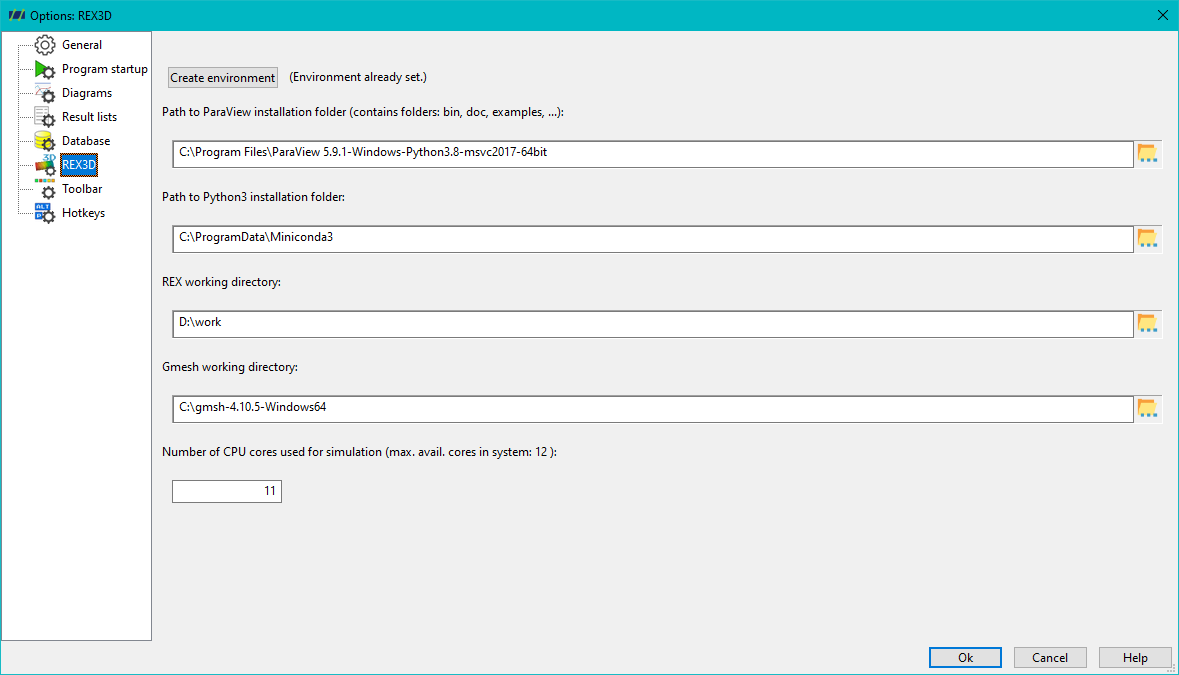
Under the „Number of CPU Cores for Simulation“ section, you have the option to predefine the default number of CPU cores used for numerical simulations. However, this setting can be adjusted individually for each simulation.