Dies ist eine alte Version des Dokuments!
Compare processes
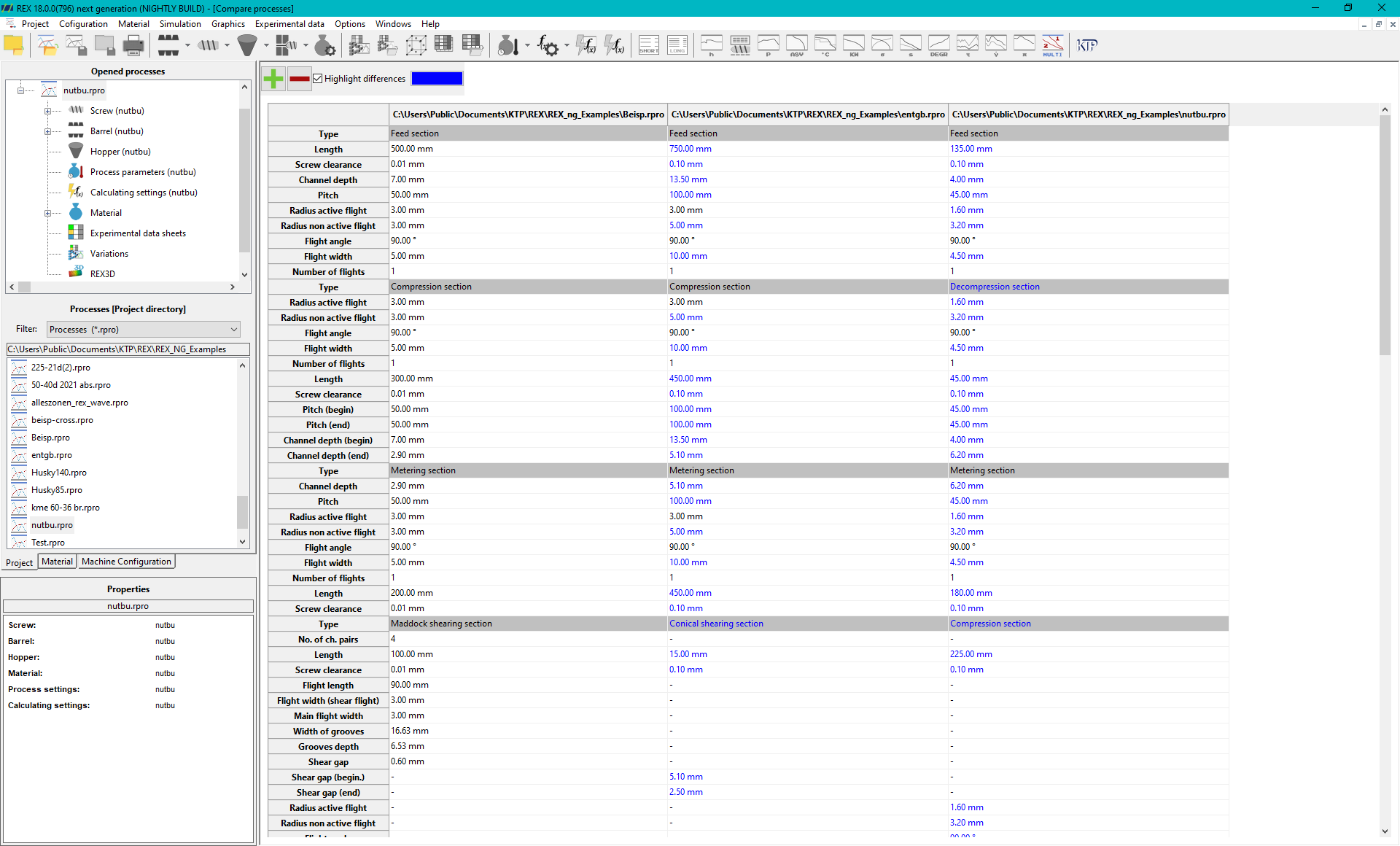
The option Project » Compare processes allows you to compare the screw data of different processes in detail and compare them with each other.
Adding and removing processes
To add further processes to the comparison, use the ‘+’ button. By clicking on this button, you can add as many additional processes as you like, which will then be included in the comparison. However, if you want to remove a process from the comparison, first select the relevant process from the list and then click on the ‘-’ button. The selected process is then removed from the comparison view.
Highlight Differences in Color
To enhance the comparability of individual screw data, you have the option to highlight differences between processes in color. Simply activate the checkbox next to the „+/-“ buttons to enable this feature. Once activated, all differences between individual process parameters will be marked in color, making any deviations immediately visible.
Adjusting Highlight Colors
For a more personalized display, you can adjust the highlight color according to your own preferences. Use the color palette to select from a variety of colors. This allows you to tailor the display to your specific needs, whether for better visualization of differences or clearer distinction between individual parameters. In this way, you can optimize the visual comparison and quickly and effectively analyze the differences.